
Launch a Self Hosted Windows Backup Server Platform Using WholesaleBackup Windows Server Backup Software
Use WholesaleBackup online backup server software to run your private labeled offsite backup and recovery service instantly
Web Console $30/month plus $3 per device for a complete turn-key white label server backup software solution
Build Your Own Self-Hosted Windows Backup Server
Your brand on the client. Your Windows Server.
White-label backup on your hardware. No credit card.

New Server Dashboard Graphs and Data Panels Released for Backup Server
This new backup server release included a brand new tab, called “Server” where you are offered a nice high level view of different data panels and graphs indicating various performance metrics to help you monitor your backup service and server. There are over 12 new sections & graphs for inspection for complete details/description on each new graph and panel.
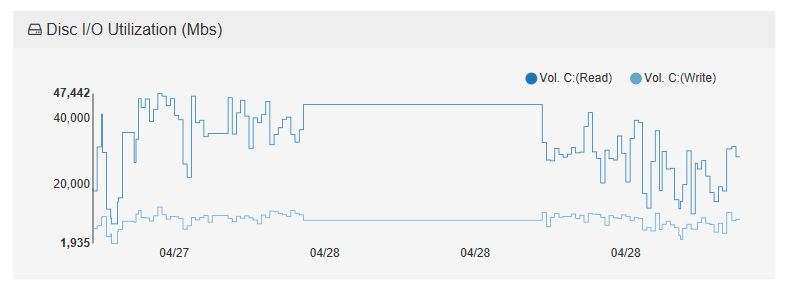
Check out the new release post


WholesaleBackup provides you with an extremely high value, Hosted Private Label Backup Solution that has earned the trust of many Backup Resellers. Brand our White Label Backup Software with your company, because we understand it is vital to keep your company visible with your customers, the process is simple and easy. We specialize building Windows Backup Server Software which includes full support for Microsoft Exchange and Microsoft SQL, including Bare Metal Restores.
Use your own data center or on-prem servers
$30 Web Console plus $3 per device includes
Manage All Your Backup Accounts From Your
Windows Backup Server Software Dashboard or Your New Backup Management Web Console
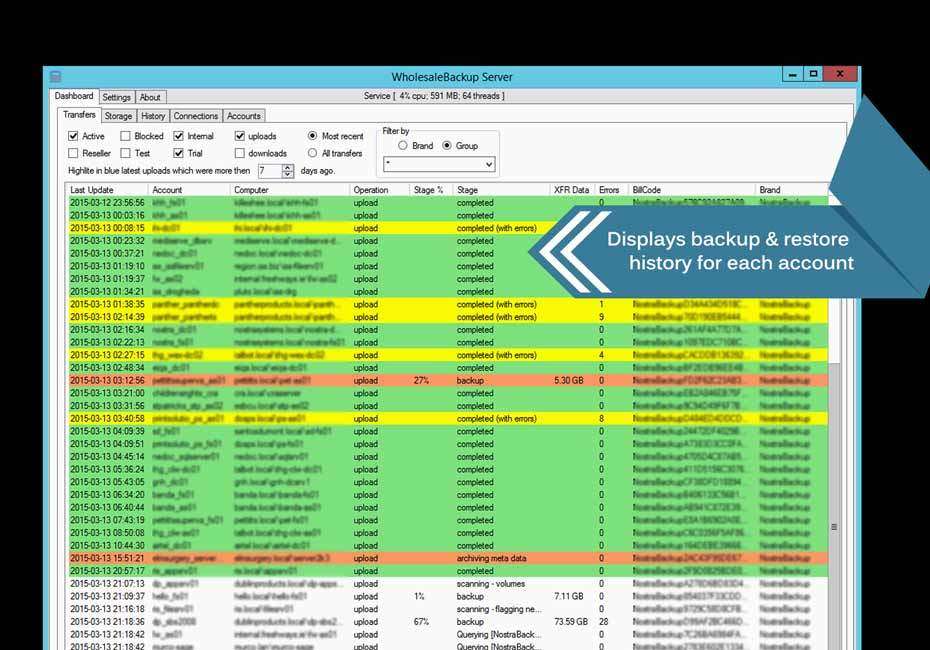
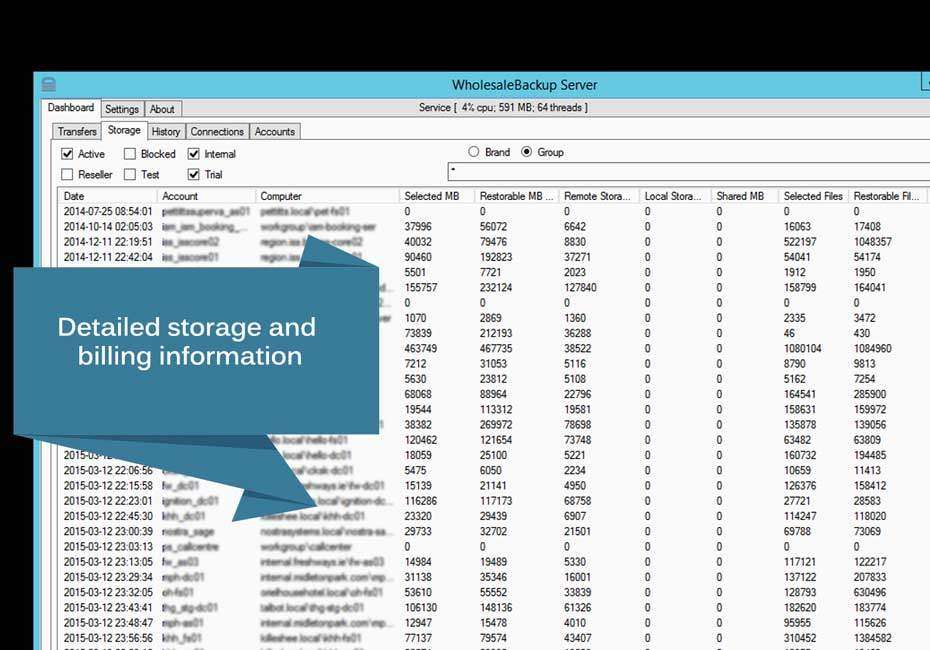

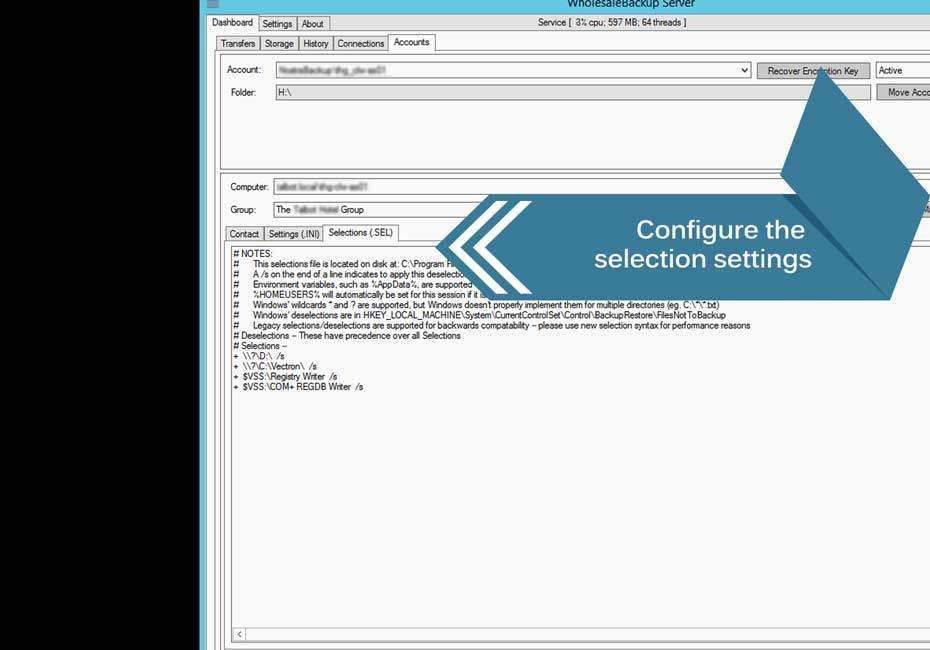
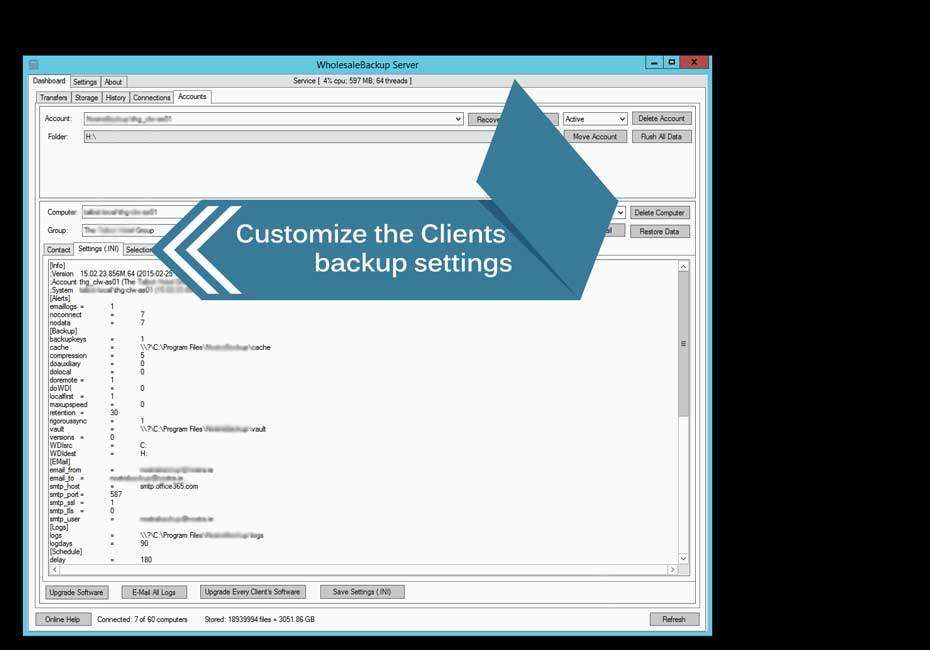
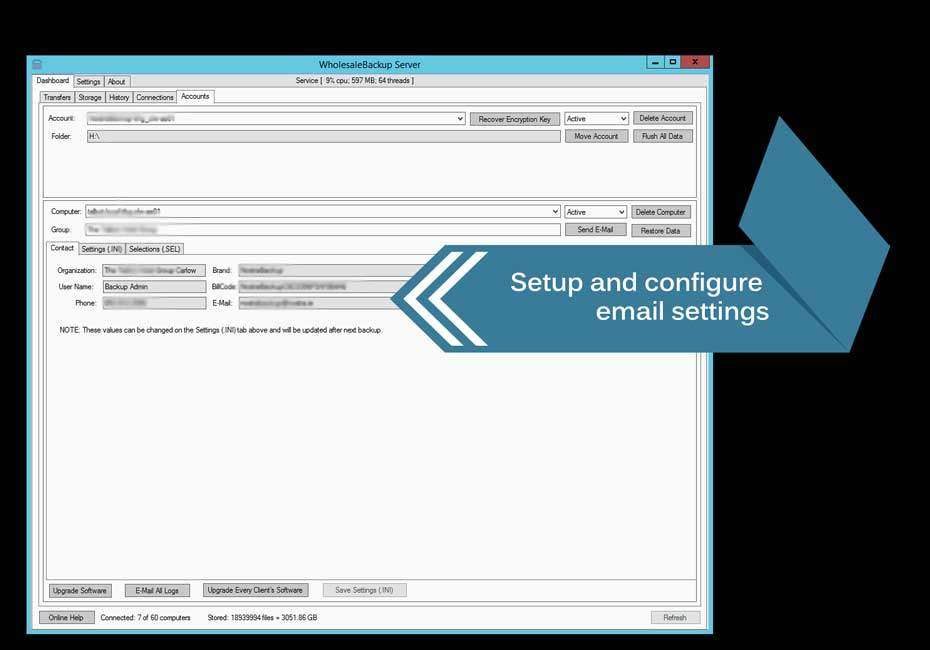
A Brief Overview About the Windows Backup Server Software Solution
The WholesaleBackup family of products has been designed for demanding online backup deployments including environments subject to complex regulatory compliance such as:
- Financial services: NASD 3010 and 3110, SEC 17a-3 & 17a-4, GLBA
- Health care: HIPAA, Public Law 104-191
- Publicly traded companies: Sarbanes-Oxley 802(a)(1) & 802(a)(2), NASD 3510, 3520
- All companies: PCI DSS (credit-card protection)
- Your Microsoft Windows server(s) will be treated as simple storage devices requiring no special processing power or resource intensive backup server software.
WholesaleBackup Server is simple, secure, and lightweight. Installing and configuring this software takes just a few minutes, and as you’ll soon see, the Server is extremely easy to use. All communication to the Server from the outside world uses 128-bit encrypted https tunnels. In addition, sensitive data, including your customer’s files, are passed to and from backup clients, and stored on backup servers, using 256-bit AES encryption. Lastly, the Server software is very small (approximately 2MB) and uses little system resources, including RAM.
With WholesaleBackup online backup server software, all you need to do in order to make your own backup server is, download and run our backup server. Fill out the general configuration settings such as which FQDN (fully qualified domain name ie: yourbackups.yourdomain.com) and Port if needed. Then proceed to building your backup clients that will be provisioned to connect to you new remote backup server solution.


The backup clients have the option to store backup data locally also, which means you will have two backup vaults one on the client side and one on the backup server. This helps to build in an additional layer of security to assist during time when a restore is required. Restore data directly from your server backup software or restore data locally from the backup client. The backups use block level file compression and encryption to securely transport the data.
Install the Windows Server backup software
Account first. Then the installer.
No credit card.
Straight answers
We Are Always Happy To Talk With You About Your Setup, Pricing, and Answer Any of Your Questions or Comments
We work with backup service providers, networking firms and managed service providers from all around the world, providing our SaaS and delivering the highest service possible.