
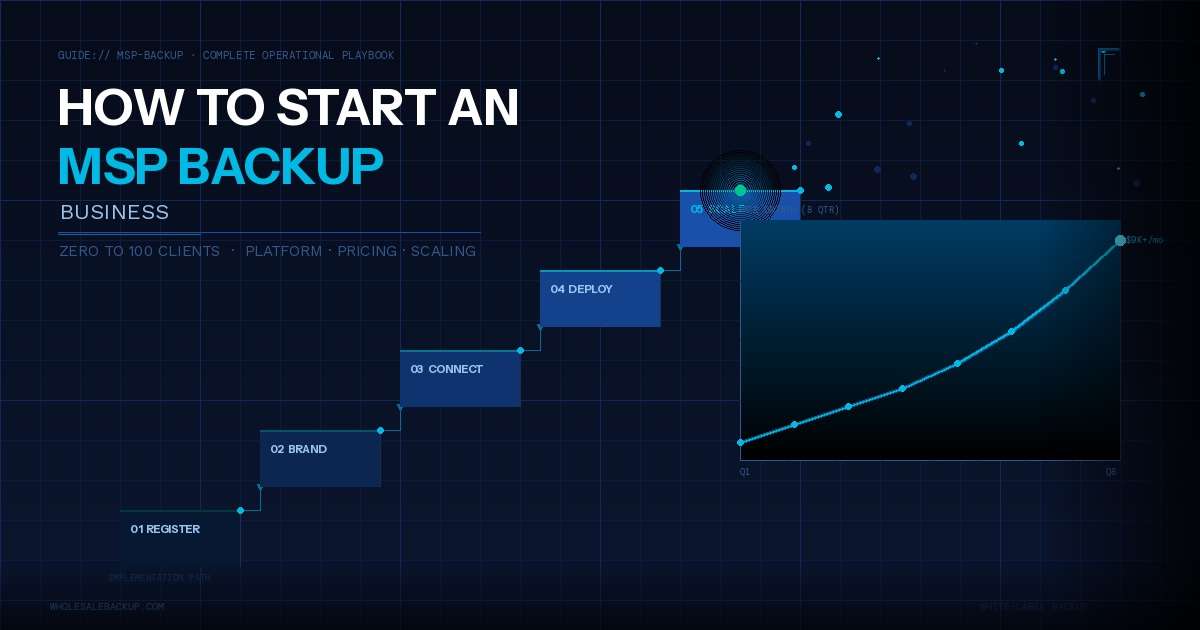
How to Start an MSP Backup Business Complete Guide
Data backup is one of the highest-margin, most defensible recurring revenue streams an MSP can offer, if you set it up right.
Most MSPs who add backup services discover it becomes their most profitable service line within 12–18 months. The reason is simple math: clients need it consistently, they rarely switch providers once you’ve earned their trust, and gross margins of 60–75% are achievable from day one. Unlike project work, every client you add this quarter keeps paying next quarter, and the quarter after that.
Here’s what makes backup attractive for MSPs:
Recurring Monthly Revenue (MRR). Backup subscriptions bill every month. Every client you add keeps paying in every future quarter. That stacking effect is what makes backup revenue compound, not grow linearly.
Here’s how the math works with conservative assumptions: add 10 clients per quarter, each averaging 5 endpoints at $15/endpoint/month. Each client brings $75/month. The revenue doesn’t reset each quarter, it stacks:
| Quarter | Clients Added | Total Clients | New MRR Added | Total MRR |
|---|---|---|---|---|
| Q1 | +10 | 10 | +$750 | $750/mo |
| Q2 | +10 | 20 | +$750 | $1,500/mo |
| Q3 | +10 | 30 | +$750 | $2,250/mo |
| Q4 | +10 | 40 | +$750 | $3,000/mo |
By year’s end you’re at $3,000/month in MRR, not because you sold harder in Q4, but because Q1’s clients are still paying in Q4. The compounding comes from retention, not acceleration. Use your own numbers in the MSP Backup Pricing Guide to model your specific scenario.
High Retention. Once a client’s data is encrypted and backed up to your platform, switching costs become real, not just financial, but operational and psychological. Migration means downtime, testing, and risk. Churn rates for backup services typically stay below 3% quarterly, compared to 8–12% for break-fix IT services. That retention compounds your MRR growth.
Margin Potential. WholesaleBackup is $30/month for the Web Console plus $3 per device (workstations and servers at the same rate, lower from 100 devices), plus storage costs you control. Your client-facing price typically ranges $12–25 per endpoint. That markup leaves room for 60–75% gross margins even after accounting for support time.
Market Opportunity. According to Infrascale’s 2025 MSP Statistics report, the global Backup-as-a-Service market is projected to grow from $6B in 2024 to $40B by 2031, a 31% compound annual growth rate. SMBs know they need backup but many still don’t have professional solutions. Ransomware is making backup a boardroom conversation. Your existing clients already trust you, backup is a natural extension of what you already do.
WholesaleBackup supports ~700 MSP and reseller brands protecting 11,000+ systems worldwide. This guide distills what works (from zero to your first 100 clients) into an actionable playbook.
Why Backup Services Make Sense for MSPs
Before diving into the how, let’s establish the why. Backup isn’t a nice-to-have add-on, it’s a foundational revenue engine.
The Business Case
Recurring revenue beats project revenue every time. A one-time managed IT security project might net $5,000. But a backup service at $15/endpoint across 100 endpoints × 12 months = $18,000 in annual revenue, and that client stays for year 2, year 3, and beyond.
Even better: your operational effort drops after the first month. Setup takes 2–3 hours. Monitoring and support averages 30 minutes per client per month. That’s an efficiency engine, high revenue per hour of your team’s time.
Clients rarely unbundle backup once it’s running. It works invisibly until they need a restore. When that day comes and you deliver, you’ve cemented the relationship. Backup clients that experience a successful restore almost never leave.
The Market Opportunity
The U.S. MSP market is valued at $69.55B and growing at 10.82% annually (Infrascale 2025 MSP Statistics). The global BaaS segment is growing even faster, 31% CAGR through 2031 (Reanin Global Report). That growth is driven by SMBs that know they need backup but still rely on consumer tools, external drives, or nothing at all. Your existing clients are part of that gap.
Ransomware is the accelerant. MSPs now have boardroom conversations about backup, something that rarely happened five years ago. Your clients are increasingly asking: “What happens if we get hit?” Backup is the answer. And they’re asking their IT provider, not shopping for a SaaS tool.
The MSP Advantage
You have something your competitors don’t: existing client relationships and earned trust. You already manage their infrastructure, monitor their networks, and handle their emergencies. Backup isn’t a new service to sell, it’s a logical expansion of what you already deliver.
A new backup vendor might need 3–4 conversations to close a deal. You might need one. That trust differential is your competitive moat, and it shortens your payback period on every client you add.
Choosing Your Backup Platform
Your platform choice sets your cost structure, your feature ceiling, and your long-term flexibility. Choose wrong and you spend years managing limitations instead of growing.
Here are the five criteria that matter most:
1. White-Label Capabilities
Can you fully brand the platform? Your clients should see your logo, your company name, and your support contact, not the vendor’s. White-labeling isn’t just about appearance. It’s about business security: if you ever need to switch platforms, clients who don’t know the underlying vendor don’t notice the migration. White-label control means you own the customer relationship permanently.
Look for: branded backup client installer, your logo in the system tray, your company name in notification emails, and no co-branding that exposes the underlying vendor. Platforms that can’t fully white-label put your client relationships at risk.
2. Pricing Model Fit
Your cost structure determines your margin. If a platform charges $8/endpoint and you want to maintain a 3:1 markup, you’re pricing at $24/endpoint. But if your market expects $15/endpoint, that math doesn’t work.
Ask every platform:
- What’s the per-connection cost at your expected scale?
- Are there hidden fees, egress charges, restore fees, support tiers?
- Does pricing scale linearly with volume, or are there tier jumps?
- Can you maintain your target margin at your realistic growth rate?
WholesaleBackup is $30/month for the Web Console plus $3 per device. Workstations and servers are the same rate. No minimum order. From 100 devices the rate drops to $2.40 and the $30 Web Console comes off. Storage is separate and direct: choose your own storage and pay your provider. No egress fees at the platform level. No restore charges. See the full pricing breakdown.
One option is running your own server, launching a self-hosted online backup server takes under 5 minutes on Windows Server and eliminates per-GB cloud storage costs.
3. Storage Flexibility and Egress Cost Control
Not all platforms give you choice in where data lives. Some lock you into their own storage at elevated per-GB rates. Others let you choose your cloud backend, which matters enormously for margin control.
When a client needs a disaster recovery restore, you pay egress fees to download the data. Those costs vary dramatically by provider:
| Backend | Storage Cost | Egress Fee | Best For |
|---|---|---|---|
| Wasabi | $0.0068/GB/month (~$6.99/TB) | $0 egress | Cost-optimized clients; 90+ day retention (note: 90-day minimum storage charge per object + 1TB minimum monthly billing) |
| Backblaze B2 | $0.006/GB/month | $0 egress (3x stored data/month fair-use) | Best plug-and-play starting point; fastest small-file throughput |
| AWS S3 | $0.023/GB/month | $0.09/GB egress (first 100GB/month free) | Enterprise clients who expect AWS; enables cloud-native DR |
| Google Cloud | Varies by region | $0.085/GB egress (first 200GB/month free) | Clients already in the GCP ecosystem |
| Synology C2 | Competitive | Varies | Clients already running Synology infrastructure |
The math matters: A 2TB ransomware recovery restore costs $0 on Wasabi or Backblaze B2, ~$175 on AWS S3 (after 100GB free tier), or ~$157 on Google Cloud (after 200GB free tier, at $0.085/GB). Across 50 clients with 2–3 restores per year, the difference is thousands in annual margin impact, and Wasabi/B2 cost you nothing.
For most MSPs starting out, Backblaze B2 is the easiest on-ramp: zero egress fees, fast throughput (163 MB/s on small files), and simple configuration. Add Wasabi for cost-sensitive clients on longer retention. Add AWS for enterprise clients who expect it. See why MSPs use Wasabi for backup for the detailed cost breakdown.
A note on internet speed: Cloud provider throughput specs are maximum lab speeds. For typical small offices with business broadband (100–200 Mbps down, 10–20 Mbps up), internet speed is your real bottleneck. A 200GB initial backup takes 3–4 nights of 8-hour backup windows. Plan accordingly. Incremental backups are much faster, they only transmit changed data. Initial backups are slow by nature; set client expectations before you deploy.
4. Management Console Quality
A backup platform is only as good as its manageability at scale. At 50+ clients, you can’t log in individually to check backup status. You need a central dashboard that shows you everything at a glance.
Look for: multi-tenant views (all clients, one screen), color-coded status alerts (green/yellow/red at a glance), per-client log access, remote deployment capability, automated reporting, and remote restore initiation without requiring an on-site visit.
WholesaleBackup’s web console (dash.backupops.com) provides all of that, plus the Remote Manager for initiating full Bare Metal Restores directly from the browser. The console is included with every plan at no additional cost.
5. Disaster Recovery Capability
Basic backup platforms do file-level restore, recover individual files or folders. Full DR platforms handle system-level recovery, get an entire machine back from nothing. This distinction matters when a client’s machine is hit with ransomware and nothing is bootable.
WholesaleBackup’s 2025 releases include a complete DR stack in the per-device price:
- Bare Metal Restore (BMR): Restore a complete disk image (VHD) to any hardware. Boot from a WholesaleBackup WinPE USB drive, enter a web portal-generated restore code, and the system restores directly from backup storage. Full machine recovery, not just files.
- Image to Physical Disk: Restore virtual disk images to real physical hardware (V2P). Critical for clients virtualizing workloads who need a physical hardware fallback.
- AWS Disk Image Restore: Cloud-native disk image restore for AWS S3-backed clients, no separate tooling required.
For SMB clients, this covers the core disaster recovery scenario: ransomware encrypts the whole machine, you restore the whole machine. At the per-device rate, that’s capability that previously required a Datto appliance at 10x the cost.
Support Quality
Your vendor’s support is your safety net. When a client’s data is at risk, you need a human who picks up the phone, not a ticketing system with a 48-hour SLA. The tiers that matter: response time (minutes vs. hours), channel (phone/chat vs. email-only), and geography (US-based vs. overseas).
WholesaleBackup includes unlimited free software support from a fully US-based team, included with every plan. No tier upsell. That’s the support structure you need behind a service you’re selling as business-critical.
Setting Up Your White-Label Brand
The white-label setup is what changes you from a backup reseller into a backup business. Your clients should see your brand everywhere, from the installer they download to the notification emails they receive. No vendor names. No co-branding. Your business, your identity.
Here’s how to do it in four steps:
Step 1: Choose and Register Your Brand Name
Your backup brand doesn’t have to match your MSP name. Many resellers create a dedicated backup sub-brand (e.g., “Acme Data Shield” instead of “Acme IT Services”). This lets you position backup as a standalone product, price it independently, and eventually sell the backup book of business separately if you choose.
Keep it simple: a name that communicates protection, reliability, or security works best. Avoid tech jargon that confuses small business clients.
Step 2: Build Your Branded Backup Client
WholesaleBackup’s Brand Builder lets you configure your client software without touching code. Through the Backup Operations Web Console, you set your brand name, logo, custom contact details, and personalization such as custom user agreements or terms of service. The backup client your customers install shows your branding, not WholesaleBackup’s.
What clients see: your brand name in the system tray, your logo on the interface, your company name in support emails. The underlying platform is invisible to them. That’s exactly the point.
Step 3: Connect Your Cloud Storage Backend
This is a one-time configuration that sets your cost structure. In the console, you connect your preferred cloud backend. WholesaleBackup supports six options, all of which handle files, folders, databases, and full BMR disk images:
- Wasabi, $0.0068/GB/month (~$6.99/TB), zero egress; best for clients with 90+ day retention; note the 90-day minimum storage charge per object and 1TB minimum monthly billing
- Backblaze B2, $0.006/GB/month, zero egress (3x stored data/month fair-use); fastest plug-and-play setup; excellent starting point for most MSPs
- AWS S3, $0.023/GB/month, $0.09/GB egress (first 100GB/month free); solid reliability; enables AWS Disk Image Restore for cloud-native DR
- Google Cloud Platform, $0.085/GB egress (first 200GB/month free); fastest raw throughput; best suited for clients already in the GCP ecosystem
- Synology C2. Synology’s S3-compatible cloud object storage; solid option if clients already run Synology infrastructure
- Self-Hosted WholesaleBackup Server™, on-premises deployment for data-sovereignty requirements; no cloud dependency; full control over storage hardware
Your backend choice determines your per-GB cost. Backblaze B2 runs $0.006/GB/month; Wasabi runs $0.0068/GB/month (~$6.99/TB). At 1TB of protected data, you’re looking at roughly $6–7/month in storage cost. That’s your floor; you mark it up from there.
Step 4: Configure Your Management Dashboard
The Web Console is your command center. Set it up once and you’ll manage every client from a single pane of glass:
- Remote deployment: push installers to endpoints without touching each machine
- Scheduling: configure backup windows during off-hours for every client (9PM–6AM is standard)
- Bandwidth throttling: keep backup traffic from impacting business-hour internet speeds
- Alerting: get notified when a backup fails or a client goes offline
- Reporting: automated backup status reports to clients or internal dashboards
The Expert tab inside the client software lets you run live throughput and firewall tests remotely, diagnose slow backups or connectivity issues without an on-site visit. The Remote Manager goes further: from the web portal you can initiate a Bare Metal Restore for any connected client. Select the VHD, generate a 24-hour restore code, and your tech boots the target machine from a WholesaleBackup WinPE USB and restores automatically over the internet. Full system recovery, no on-site presence required from you to kick it off.
Time to set up: A complete white-label brand configuration typically takes less than 15 minutes the first time. Deploying to a new client takes less than a few minutes.
Pricing Your Backup Services
Pricing backup wrong is one of the most common reasons MSPs underperform on this service line. Either they underprice out of fear (“I don’t want to lose the deal”) or they overbuild complexity that creates billing headaches. Both problems are avoidable.
The rule is simple: charge 2–3x your all-in platform cost. Here’s how that works in practice.
The Math That Works
WholesaleBackup is $30/month for the Backup Ops Web Console plus $3 per device, with lower device rates from 100 devices. Add storage you control. That is your fully-loaded monthly software-plus-storage cost.
No minimum. Pay per device.
Workstation$3 / device / mo
Server$3 / device / mo
Backup Ops Web Console$30/mo
Volume
100+ devices: $2.40 per device. Backup Ops Web Console included. Lower at 250 and 500.
Same rate for workstations and servers. All-in. Everything included.
Month-to-month · Choose your storage · US-based support · Everything included · See the pricing page
Example for a reseller with 50 total client endpoints on Backblaze B2:
- Software: $30 Web Console + (50 × $3) = $180/month
- Storage: 2TB total × $0.006/GB = $12/month (assuming ~40GB average per endpoint, see note)
- Your total cost: ~$192/month
- You charge clients: $15/endpoint × 50 = $750/month
- Your gross margin: ~74%
Note: 40GB is a conservative starting estimate. Industry benchmarks run 75–120GB/workstation and 200–400GB/server. As your clients grow, storage costs will increase, use the MSP Backup Pricing Guide and the downloadable MRR Growth Model to model your realistic scenario.
As you grow, you add devices at $3 each until 100. At 100 devices the rate drops to $2.40 and the Web Console fee comes off, so 100 devices is $240/month in software fees while you bill $1,500/month to clients at $15/endpoint. The rate drops again at 250 and 500. The math scales cleanly.
Pricing Approaches by Client Type
Per-endpoint pricing ($12–20/endpoint) works for most SMB environments. It’s predictable for both you and your client. Use it as your standard model.
For heavier data environments (legal, healthcare with large imaging data), consider a per-endpoint + per-GB-over-threshold hybrid. Base price covers the standard client; heavy data users pay a small overage. This protects your storage costs without surprising the client.
For enterprise clients on AWS, build egress costs into your pricing. Their restores are more frequent and larger. Price to cover 2–3 major restore events per year.
For a complete breakdown of pricing models, margin scenarios, and TCO comparisons, see the MSP Backup Pricing Guide.
Positioning Backup as Insurance, Not Commodity
Don’t pitch backup as a tech product. Pitch it as operational insurance.
“What would it cost your business to lose a week of client files to ransomware?” That question reframes the conversation. A $15/endpoint backup service looks very different when the alternative is a $50,000+ ransomware recovery engagement. This framing also positions you as a trusted advisor rather than a vendor fighting on price. Clients who understand what backup actually protects don’t shop for the lowest-priced option, they shop for someone who knows what they’re doing.
Landing Your First 10 Clients
Your first 10 clients are the hardest. After that, referrals, reputation, and operational proof make the next 10 significantly easier. Here’s how to get there.
Strategy 1: Start with Your Existing Managed Services Clients
If you already have managed services clients, backup is a natural upsell, not a cold sell. You already manage their endpoints. You know their data. You’ve earned their trust.
The conversation is simple: “We’re adding backup services to our managed package. It protects your business from ransomware and data loss. Here’s what it costs and here’s what it covers.” Clients rarely say no when you frame it as a gap they didn’t know they had.
Target: Convert your top 10 existing MSP clients first. Use them as operational proof before expanding to new business.
Strategy 2: The Free Backup Audit
A backup audit is your most effective lead generation tool. Offer it free to prospects and to existing clients who don’t have backup coverage. The audit reveals:
- Whether they have any backup at all
- Whether their existing backup actually works (most companies never test restores)
- How long a recovery would take given their current data volume and internet speed
- What they’re at risk for, ransomware, hardware failure, accidental deletion
A backup audit almost always reveals gaps. Gaps create urgency. Urgency closes deals.
Script: “We’re offering a free backup health check to local businesses. It takes 30 minutes and we’ll tell you exactly where your risk exposure is, no obligation.” Most business owners say yes just from curiosity.
Strategy 3: Compliance-Driven Conversations
Regulated industries have backup mandates they may not be fully meeting. Target:
- Healthcare (HIPAA): Must back up PHI (Protected Health Information). Dental offices, medical practices, and healthcare admin offices are prime targets.
- Financial services (GLBA): Banks, insurance agents, and financial advisors must protect customer data.
- Legal (state bar requirements): Attorneys must maintain client records. Many states require backup as part of document retention policies.
- Retail (PCI DSS): Payment data environments require backup and audit trail.
Lead with compliance language: “Are your backup policies meeting your HIPAA requirements?” That question opens doors that “do you need backup?” doesn’t.
Strategy 4: Use Ransomware News as Openers
Ransomware incidents make the news constantly. Every story about an attack on a small business is a conversation starter. Share it with a short note: “This is exactly what good backup prevents. We can make sure this doesn’t happen to you.”
Don’t be alarmist. Be factual, and be the expert who already has the solution ready.
Strategy 5: Ask for Referrals Immediately
When you successfully onboard a client, ask for introductions within 30 days. “We’re growing our backup business and we’re looking for referrals in your industry. If you know of any similar businesses who might benefit from what we set up for you, we’d love an introduction.”
Happy clients who just experienced a smooth onboarding are your best salespeople. Strike while the positive experience is fresh.
Handling the Four Most Common Objections
“We already have backup.” → “Great. When did you last test a full restore? Most businesses haven’t. Let’s run a free audit to verify your current setup actually works.”
“It’s too expensive.” → “What would it cost your business to lose two weeks of files to ransomware? Most ransomware recovery engagements run $25,000–100,000+. Our service is $X/month, that’s operational insurance.”
“We back up to an external drive.” → “External drives are a good start. But they’re vulnerable to theft, fire, and ransomware, ransomware encrypts mapped drives. You need an offsite cloud copy that ransomware can’t reach.”
“I’ll think about it.” → “Completely understand. Can we schedule a 15-minute call next week? In the meantime, I’ll send you a one-page risk assessment showing your current exposure.”
Scaling from 10 to 100 Clients
Getting from 10 to 100 clients is about systematizing what worked at 10. The product doesn’t change. Your operations do.
Build Operational Efficiency Before You Scale
Standardize your stack. Pick one or two storage backends, for example, Backblaze B2 for standard clients, AWS S3 for enterprise. Resist the urge to customize for every client. A standard deployment takes 15 minutes; a custom one takes 2 hours and creates permanent maintenance debt.
Automate monitoring and alerting. WholesaleBackup’s management console sends alerts when backups fail. Configure those alerts before you hit 20 clients. At 50 clients, manual review isn’t viable. At 100, automated alerting is the only way to maintain reliability without burning out your team.
Use scheduling and throttling from day one. Set every client backup to run off-hours, 9PM to 6AM is standard. Use bandwidth throttling so incremental syncs in the background don’t impact daytime internet speeds. At scale, this prevents support calls from clients noticing “slow internet” during business hours.
Document everything from client 1. Create a standard deployment runbook: which backend, which retention policy, which backup sets, which schedule. When you hand off a client to a new technician, they follow the runbook. At client 75, you’ll thank yourself for documenting at client 5.
Growth Levers: From 10 to 50 Clients
Bundle backup into your managed services offering rather than selling it standalone. “Managed IT + Backup” at a bundled price is easier to sell than two separate line items. It increases your average contract value and reduces churn, clients are less likely to unbundle a bundled service.
Tiered offerings accelerate growth. “Backup Essentials” (endpoints only), “Backup Pro” (endpoints + servers), “Backup Enterprise” (endpoints + servers + M365). Each tier has a clear price point and a clear scope. Prospects self-select the tier that fits their budget.
Vertical specialization multiplies referrals. If you land three dental offices, word spreads among office managers. Consider specializing your marketing around one or two verticals, healthcare, legal, real estate. You become “the backup provider for dental practices in [City].” That’s a meaningful differentiator in a market that otherwise competes on price.
Five Metrics to Track Monthly
Once you’re operating at scale, track these five numbers:
- Total client count (growth indicator
- MRR (Monthly Recurring Revenue)) business health indicator
- Churn rate, retention health; target below 2% quarterly for backup
- Average margin per client, pricing discipline indicator
- Time per new client deployment, operational efficiency indicator
If time-per-deployment is going up, you’ve introduced complexity. If churn is rising, there’s a service quality issue. These five numbers tell you almost everything you need to know about your backup business health.
Common Mistakes to Avoid
Most backup business failures aren’t technical, they’re operational. Here are the seven mistakes that consistently hurt MSP backup operations.
Mistake 1: Underpricing to Win Deals
Charging $5/endpoint when your cost is $4/endpoint isn’t a business, it’s charity. Clients you win at razor-thin margins are often the most demanding ones. Hold your pricing. The right clients will pay for quality. The wrong ones will consume your support queue and kill your margins.
Mistake 2: Never Testing Restores
Backup without restore testing is theater. A surprising number of MSPs configure backups, see green checkmarks, and never verify that a restore actually works. Test a full restore after initial setup, and quarterly thereafter. When a client needs a real restore, you can’t afford to discover the backup was corrupt.
With WholesaleBackup’s Bare Metal Restore, you can test a full system recovery: generate a restore code from the web portal, boot a test machine from the WinPE USB, and verify the full VHD restores cleanly. Do this at onboarding and you’ll know exactly how long a real recovery takes, and you can set client expectations accordingly.
Mistake 3: No Monitoring or Alerting
Backup failures happen silently. A client’s backup can fail for weeks while everything looks normal from the outside. Without active monitoring and alerting, you’ll discover the failure the day the client has an actual data loss, the worst possible time. Configure alerts from day one.
Mistake 4: One Storage Backend for All Clients
Different clients have different needs. Don’t force an enterprise client onto Wasabi’s 90-day minimum storage model when they run aggressive 30-day retention. Don’t put a budget-conscious dental office on AWS S3 when Backblaze B2 delivers the same reliability at significantly lower cost. Match the backend to the client type.
Mistake 5: Poor Documentation
When your lead technician leaves or you hire someone new, can they manage your backup clients without you? If the answer is no, you have a single point of failure. A simple client record with backend, retention policy, and schedule takes 10 minutes per client and is worth its weight in gold when something goes wrong at 2am.
Mistake 6: No Service Agreement
Backup without a defined service agreement creates liability. What’s your RTO (Recovery Time Objective)? What’s your RPO (Recovery Point Objective)? What are you responsible for if a restore fails? A simple backup service agreement that defines scope, responsibilities, and limitations protects you legally and sets clear expectations. Have one drafted and signed before you onboard client #1.
Mistake 7: Not Going Full White-Label
Clients who can see the underlying vendor name may shop around, or go direct. White-labeling isn’t about brand ego. It’s about business security. When your brand is “DataShield Pro” and clients don’t know the underlying platform, you own the customer relationship entirely. If you ever need to switch platforms, you migrate invisibly. That flexibility is a long-term business asset.
Frequently Asked Questions
How much does it cost to start an MSP backup business?
Startup costs are low compared to most service businesses. You need a WholesaleBackup account (free trial, no upfront fee), a cloud storage account (Wasabi or Backblaze B2 are under $10/month for the first few TB), and time to set up your white-label brand. You can be fully operational for under $50/month before landing your first paying client, no minimum seat counts, no setup fees, no annual commitment required.
Is backup as a service actually profitable for MSPs?
Yes, backup is one of the highest-margin recurring services an MSP can offer. Typical gross margins run 60–80%, compared to 30–50% on break-fix or project work. The key is pricing correctly (2–3x your platform cost), controlling storage backend costs, and keeping operational overhead low through automation and standardized deployments.
How many clients do I need to break even?
Your all-in starting cost with WholesaleBackup is the $30 Web Console plus $3 per device, plus storage. At 10 endpoints and ~$12 in storage for approximately 2TB, that is about $72/month ($30 + $30 + $12). At $15/endpoint, you break even with a handful of endpoints, roughly one average small business client. Most MSPs cover their platform costs entirely within the first month by converting one or two existing managed services clients.
Should I white-label or resell under the vendor’s brand?
White-label every time. Reselling under a vendor’s brand gives them ownership of your client relationships. If you ever need to switch platforms, white-labeling lets you migrate clients invisibly. If clients know the underlying vendor, they may go direct and cut you out. White-label control is a permanent business asset, don’t give it up.
Which cloud storage backend should I start with?
For most MSPs starting out, Backblaze B2 is the easiest on-ramp: zero egress fees, fast throughput, and simple configuration with no optimization needed. Once you’re comfortable with the platform, add Wasabi for cost-sensitive clients with 90+ day retention requirements, AWS S3 for enterprise clients who expect it, and GCP for clients already integrated into the Google Cloud ecosystem.
How do I handle client support for backup?
WholesaleBackup includes free USA-based support for you as the MSP partner. Your clients contact you (your brand), and you escalate to WholesaleBackup when needed. With good monitoring and alerting in place, most backup issues are caught and resolved before clients notice. The goal is a service that runs invisibly until the day it’s needed, and then delivers completely.
Do I need certifications to sell backup services?
No certifications are required to start. For regulated verticals (healthcare, financial services), you’ll want a working familiarity with the relevant compliance frameworks (HIPAA, GLBA) so you can speak fluently with clients and structure your service agreements appropriately. WholesaleBackup supports HIPAA-compliant deployments. Basic knowledge of the regulations goes a long way in client conversations, and makes you look like the expert you are.
Your First 10 Clients Are Closer Than You Think
Backup services are one of the most defensible, highest-margin service lines an MSP can build. The fundamentals are straightforward: choose the right platform, white-label your brand, price at 2–3x your cost, and grow through existing client relationships before investing in new acquisition.
The MSPs who build profitable backup practices share a few things in common: they’re disciplined about pricing, systematic about operations (monitoring, documentation, standardized deployments) and consistent about positioning backup as insurance rather than a commodity add-on.
WholesaleBackup was built specifically to support MSPs who want to own their backup business. No per-brand fees, no egress charges at the platform level, full white-label control, and month-to-month flexibility that lets you adjust as your business grows.
Ready to build your backup business?
- Start your free trial, no
credit card required, full platform access - MSP Backup Pricing Guide, deep
dive on cost models, margin scenarios, and TCO - MSP Backup Platform Selection Guide
, compare platforms and choose the right foundation - See current WholesaleBackup pricing, calculate your
cost at your expected scale
Your first 10 clients are closer than you think. Start with the ones you already have.